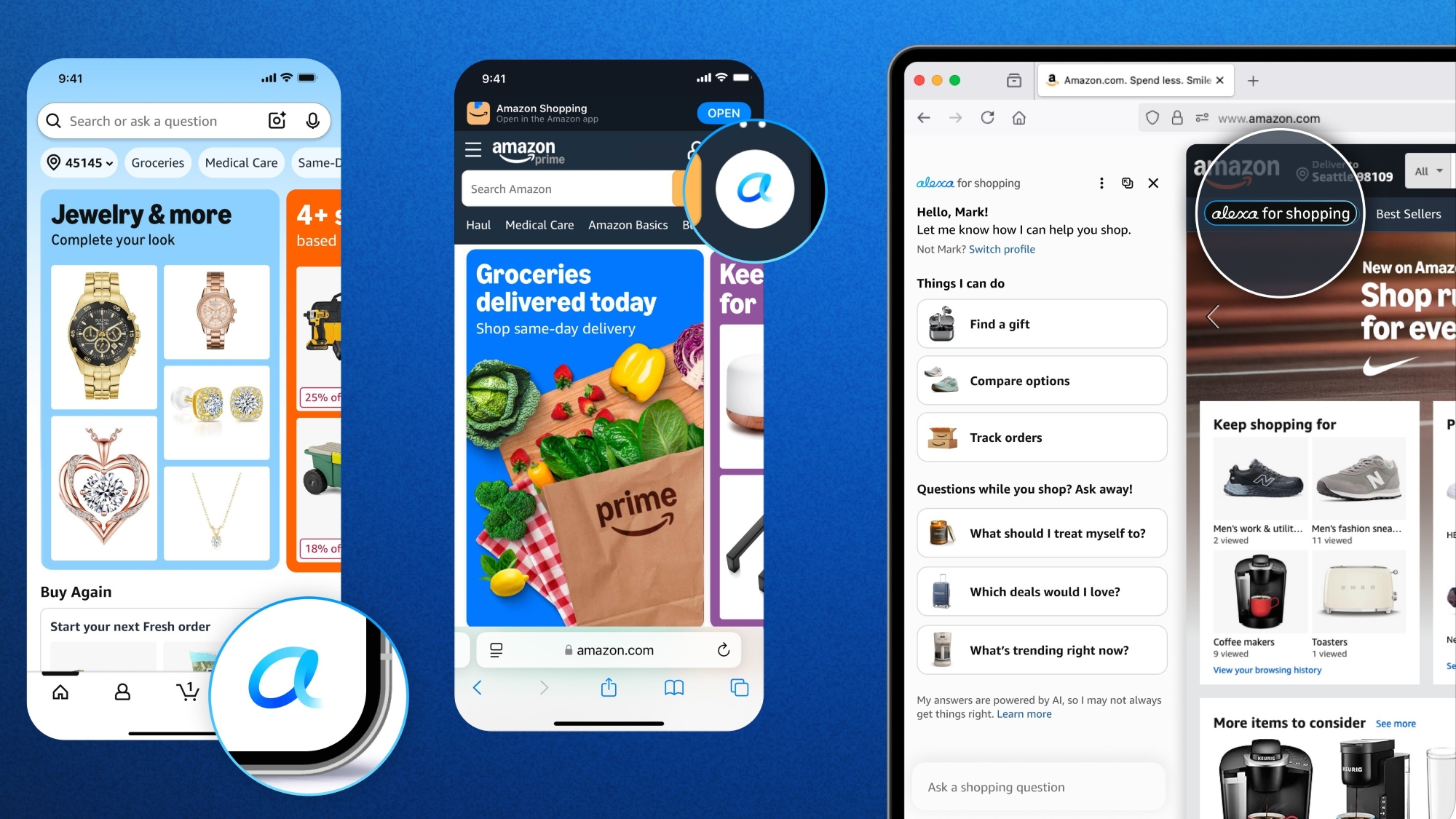

Key takeaways
- Amazon's agentic AI assistant for shopping helps U.S. customers research and purchase products, while saving time and money.
- New and enhanced Alexa for Shopping features—like asking questions in the main Amazon search bar, automating shopping tasks, comparing products from search results, and generative AI overviews in search and on product detail pages and “Update Me When” new release tracking—make product discovery even easier.
- Alexa for Shopping combines deep product knowledge, information from across the web, and personal shopping capabilities to create the world’s most personalized AI assistant for shopping.
Alexa for Shopping, Amazon's agentic AI assistant for shopping, has been helping U.S. customers research, shop, and purchase products since launching in February 2024. Whether exploring broad topics or highly specific products, customers can use Alexa for Shopping to enhance their shopping experience—from searching for products based on activity, event, or purpose, to automatically adding items to their cart, checking if they’re getting the best price, finding top deals, auto-buying items at a set price, and automating shopping tasks with Scheduled Actions.
Amazon continues to introduce new features so customers can quickly get personalized recommendations and purchase products on and off Amazon.
Learn more about Amazon's next-gen AI assistant.
What’s new with Alexa for Shopping
Below are some of the newest Alexa for Shopping features that can make your shopping experience more convenient.
Never miss a new release with “Update Me When”
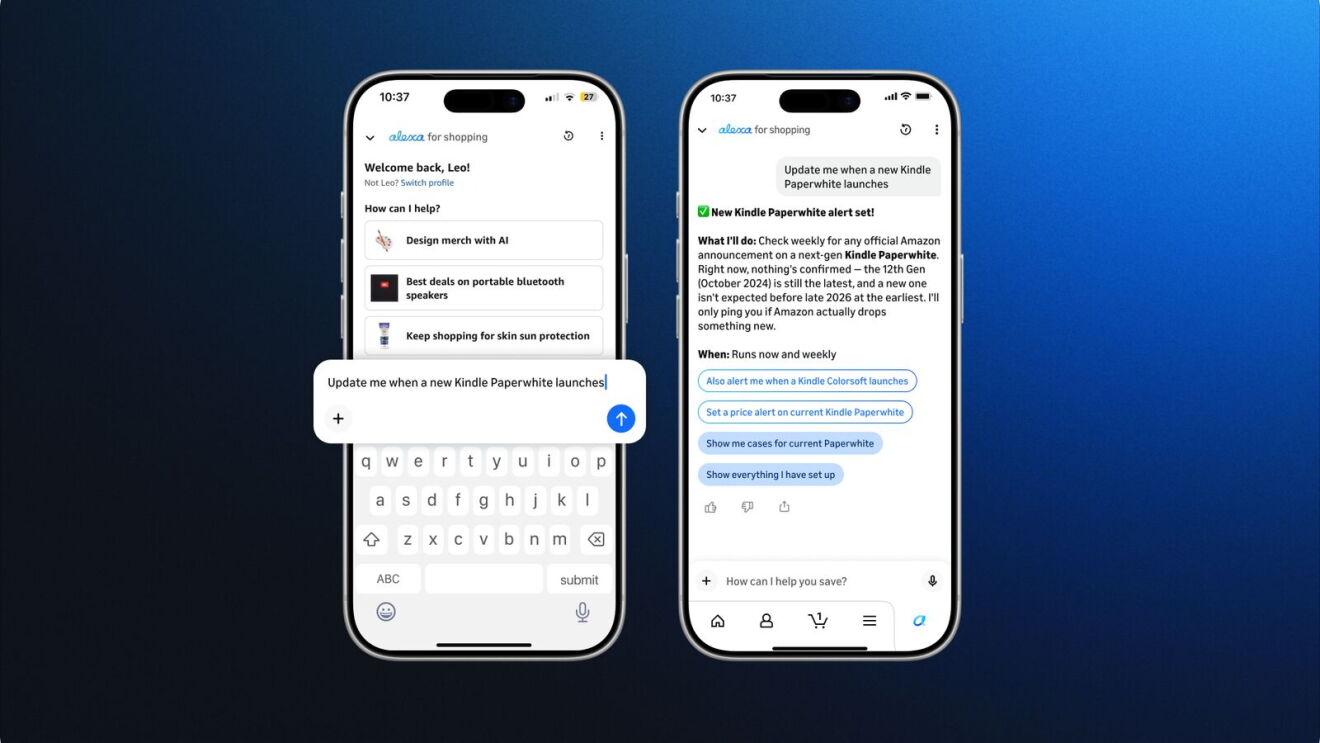
Alexa for Shopping can now keep track of the things you care about, checking Amazon and the broader web and notifying you when something new or relevant happens. Whether it’s a brand you love launching a new product line, a new season of your favorite show, an artist you follow announcing a tour, an author you enjoy releasing a new book, or a tech company announcing the launch date for a product you’ve been waiting for, Alexa for Shopping will find it and send you a personalized notification.
Simply say things like “Update me when new cooperative board games for 4+ players release,” “Update me when Reacher Season 5 drops on Prime Video,” or “Update me when a new Kindle releases.” You can get started by asking Alexa for Shopping directly in conversation in the Amazon Shopping app or on Amazon.
Automate shopping, product discovery, and savings with Scheduled Actions
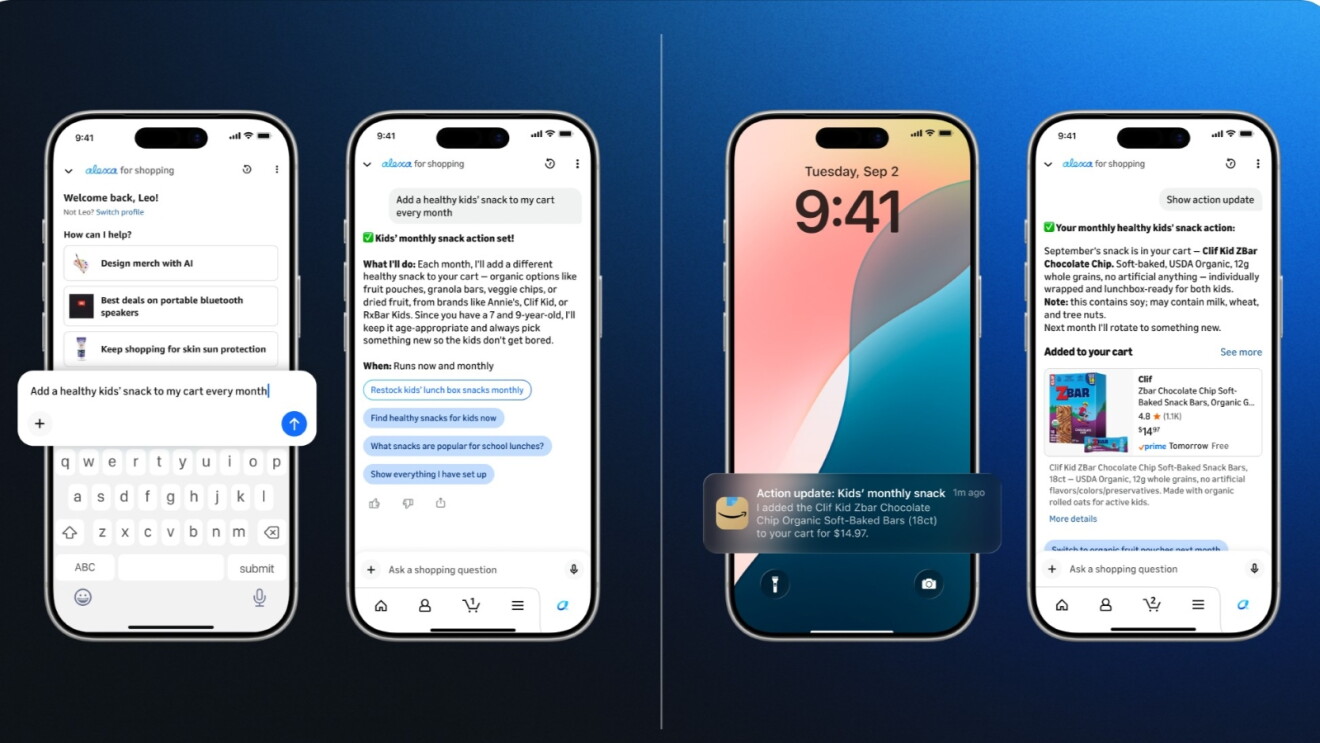
Alexa for Shopping can proactively shop on your behalf with Scheduled Actions—a feature that lets you set up recurring, personalized shopping tasks. To create a Scheduled Action, simply ask Alexa for Shopping to create one—like adding healthy kids' snacks to your cart each month, restocking regular household items like pet food, paper towels, and detergent, alerting you when your favorite author releases a new book, or getting gift ideas ahead of family and friends' birthdays and holidays. Alexa for Shopping handles the product research and will either notify you or add relevant items directly to your cart—as a one-time action or on a recurring schedule—so all you have to do is review and check out.
Ask questions directly in the main Amazon search bar
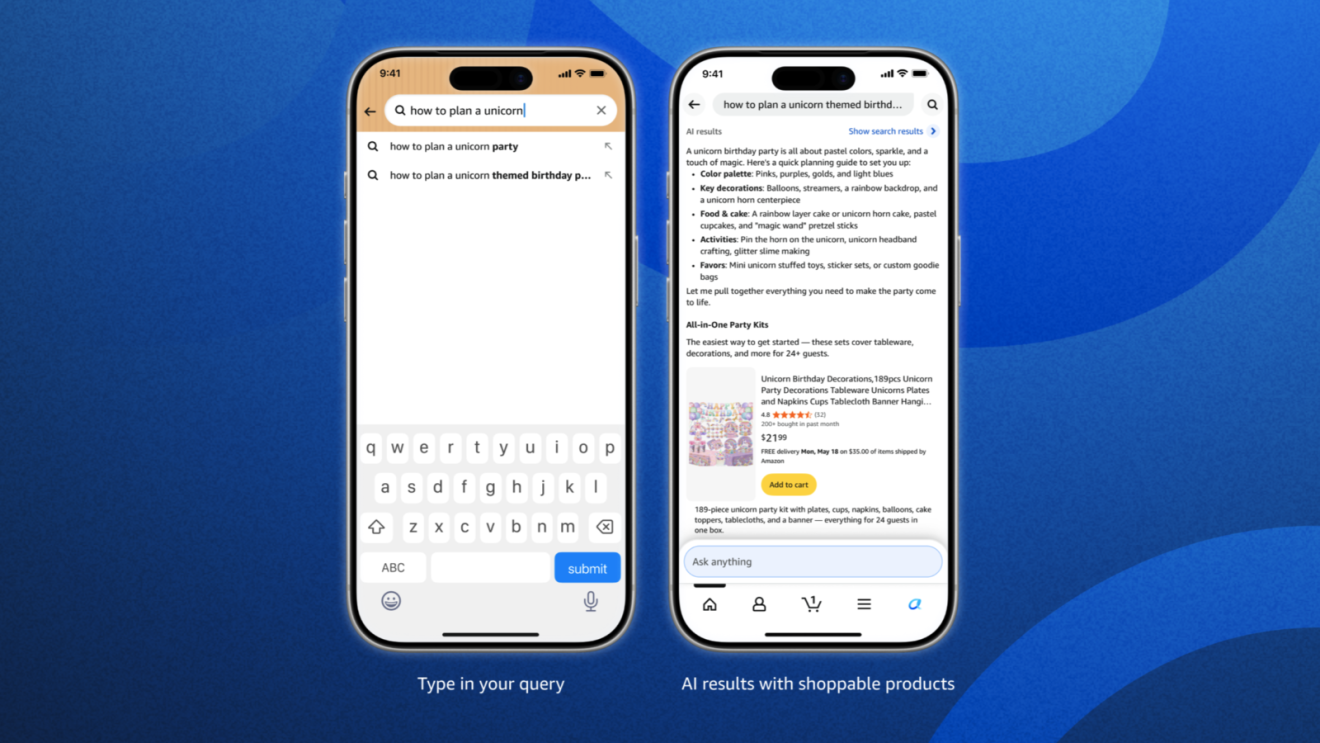
In the Amazon Shopping app, you can now ask Alexa for Shopping questions right in the Amazon search bar as well as the dedicated Alexa for Shopping chat window. If you use the main search bar, the search experience recognizes when you're asking a question and Alexa for Shopping can help answer it—from general questions like “What's a good skincare routine for men?” or “How to plan a unicorn-themed birthday party,” to product comparisons like “Breville Barista Express vs. Pro” or “Compare Kindles,” to order inquiries like “When did I last order AA batteries?” or “Where is my order?”
Compare products from search results
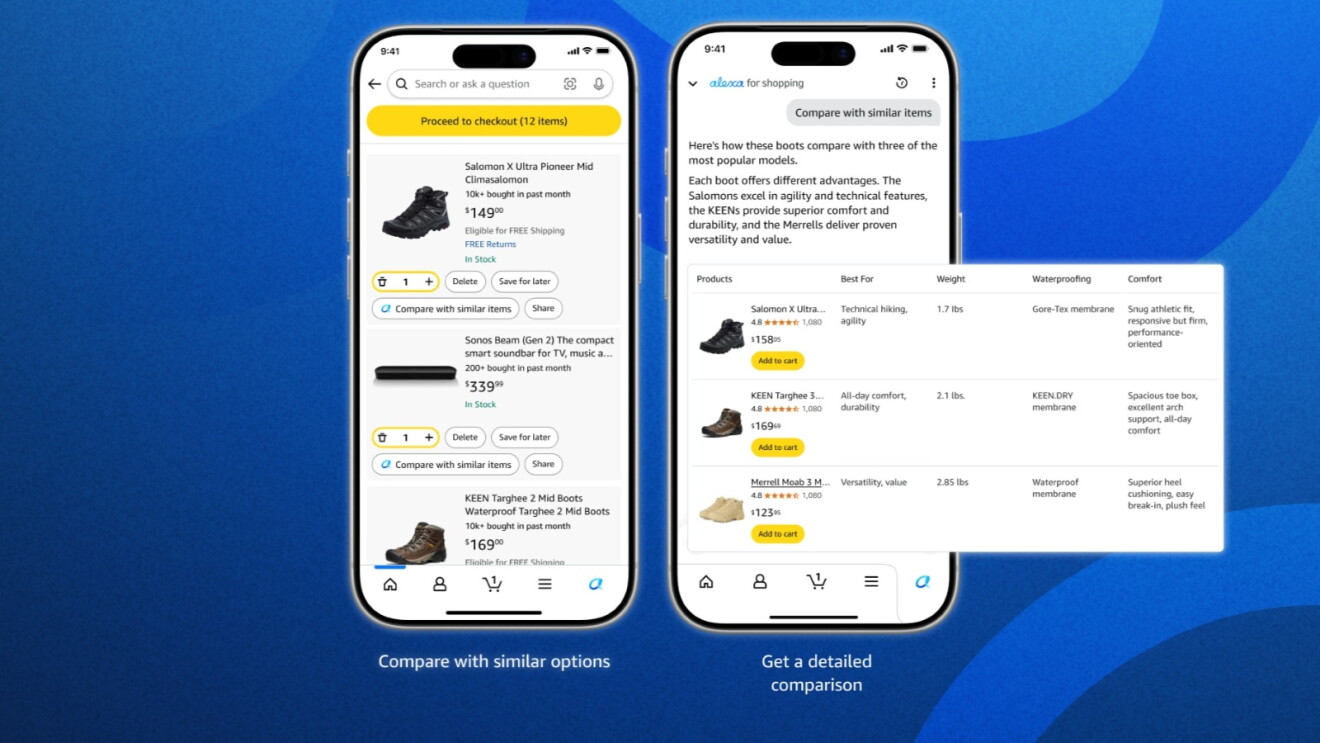
Select multiple products directly from your search results and Alexa for Shopping will compare them side by side, helping you quickly evaluate features, prices, and reviews to find the best option.

Gen AI overviews in search and on product detail pages
Alexa for Shopping surfaces AI-generated overviews at the top of search results in the Amazon Shopping app, giving you a quick summary of a product category and what to look for before you start browsing. You'll also find AI overviews on product detail pages to help you make more informed purchase decisions. The feature is already available to millions of customers and is rolling out to all U.S. shoppers.
See product price history for up to a year
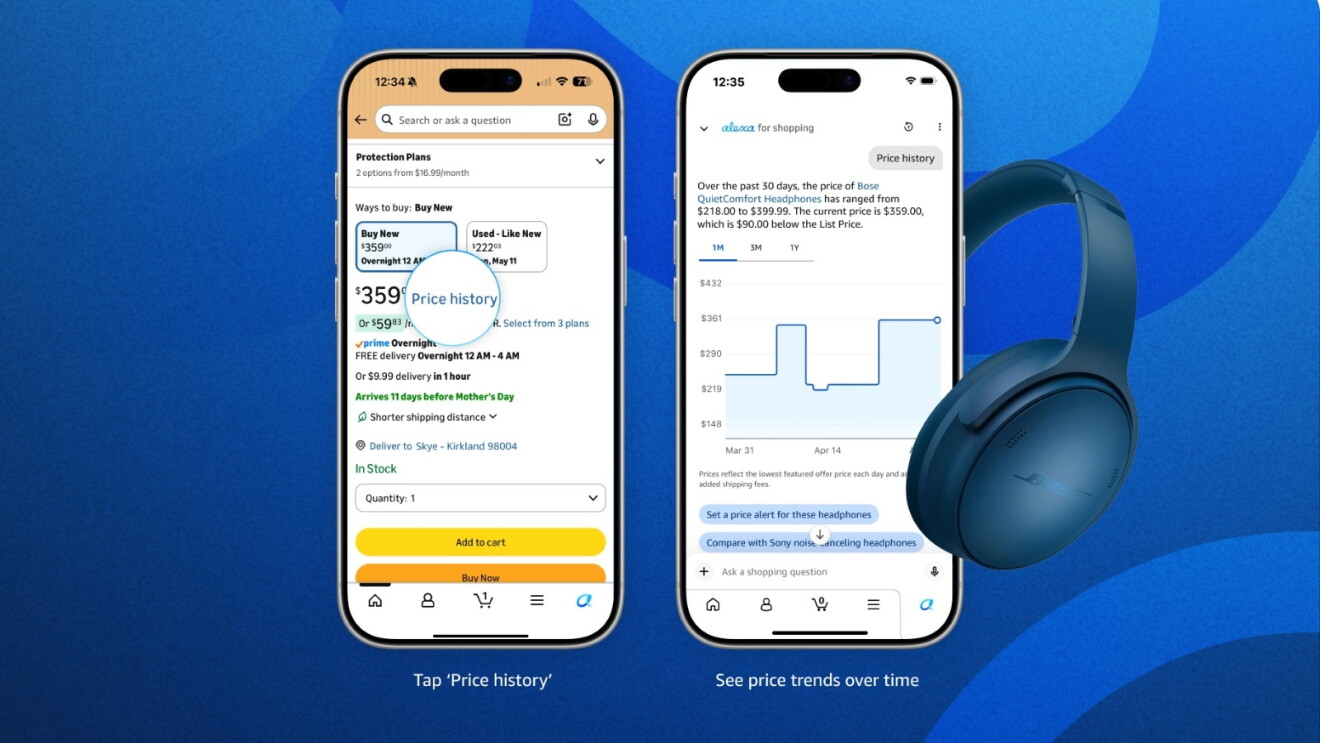
Alexa for Shopping shows 30-, 90-, and 365-day price history, so you can feel confident you’re getting a great deal. Ask “Has this item been on sale in the past 30 days?” or “What's the price history?” and Alexa for Shopping will respond with more pricing insight—including current price and how it has changed over time.
Effortlessly add items to your cart
Alexa for Shopping can search past orders and add them to your cart or quickly build new carts with conversational directions. Say things like “Add my frequently ordered cleaning products” or “Add my favorite protein bars to my cart” and then check out with a tap.
Set price alerts and let Alexa for Shopping purchase for you
You can ask Alexa for Shopping to “Set a price alert for when this face cream is $75,” “Buy these headphones when they're 30% off,” or “Purchase this t-shirt when it's $15 or less.” Alexa for Shopping will regularly check prices and alert you—or complete your purchase using your default payment method—when the item reaches your price target.
Find personalized deals
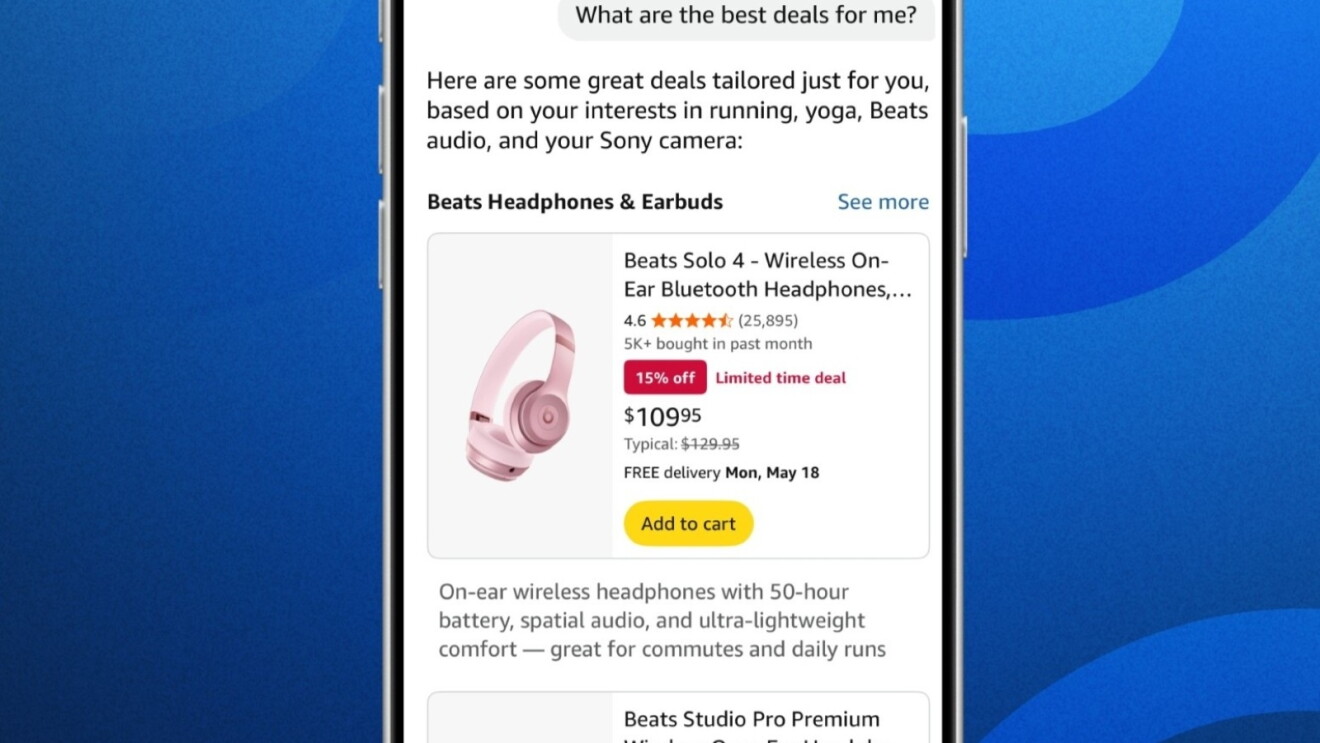
Alexa for Shopping can find deals on items in your lists, browsing history, and past purchases. Ask, “What are the best deals for me?” or “Are any items on my wish list on sale?”
Create custom shopping guides informed by personalized deep research
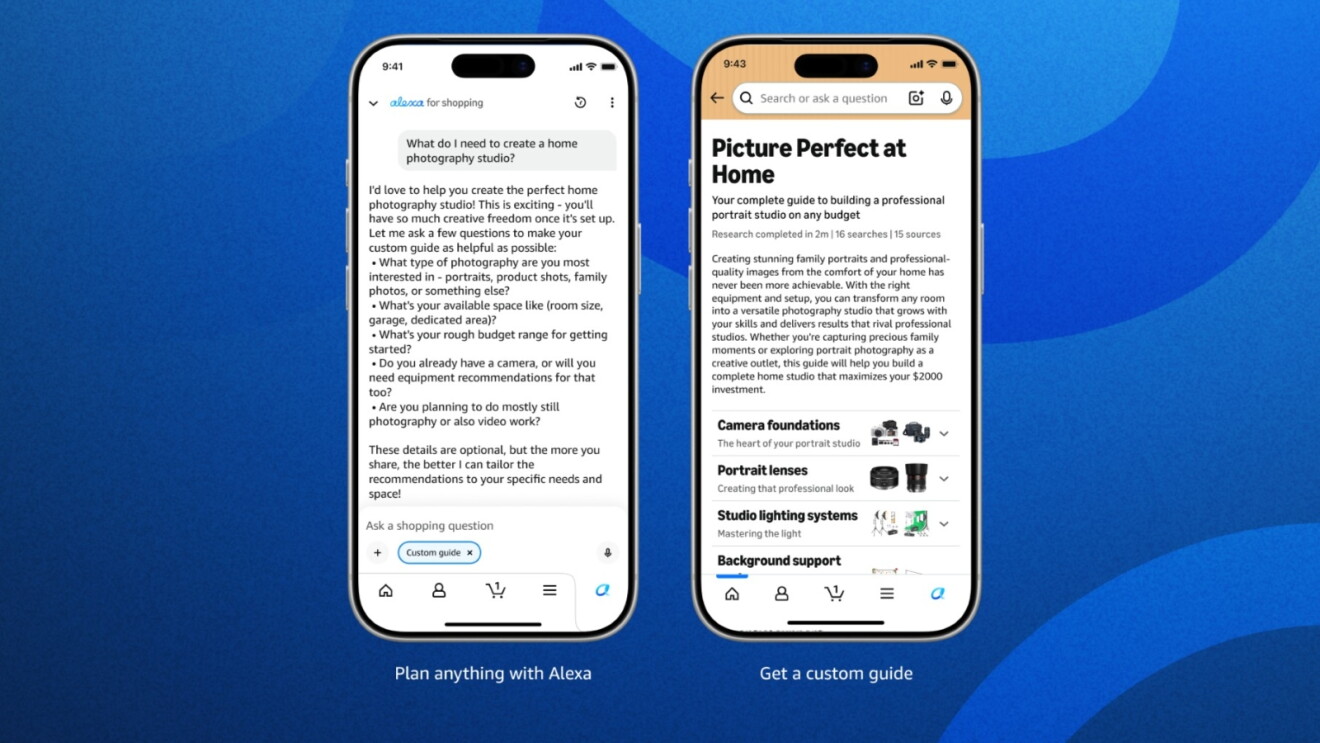
You can use Alexa for Shopping to learn about new product categories and items. Ask “What do I need to create a home photography studio?” or “What should I consider when shopping for a surfboard?” and Alexa for Shopping will create a custom shopping guide that compares features, price, and reviews across Amazon and the web based on what matters most to you.
Find relevant products with photo uploads
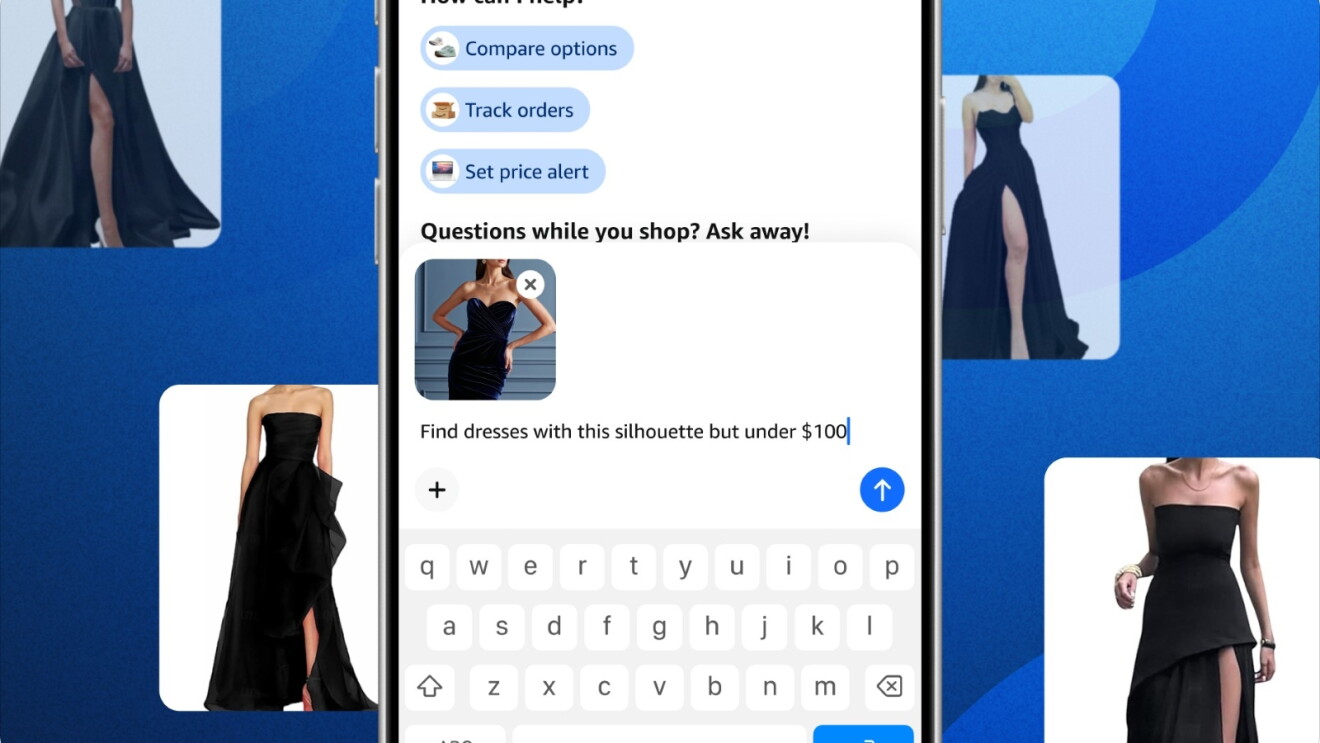
Upload photos directly by opening Alexa for Shopping and tapping the “+” icon next to the text box to access your camera or photo gallery. Take a photo or select one from your gallery, then ask Alexa for Shopping any question, like “How do I remove this coffee stain from my rug?” or “Find dresses with this silhouette but under $100.”
Transcribe handwritten lists to cart
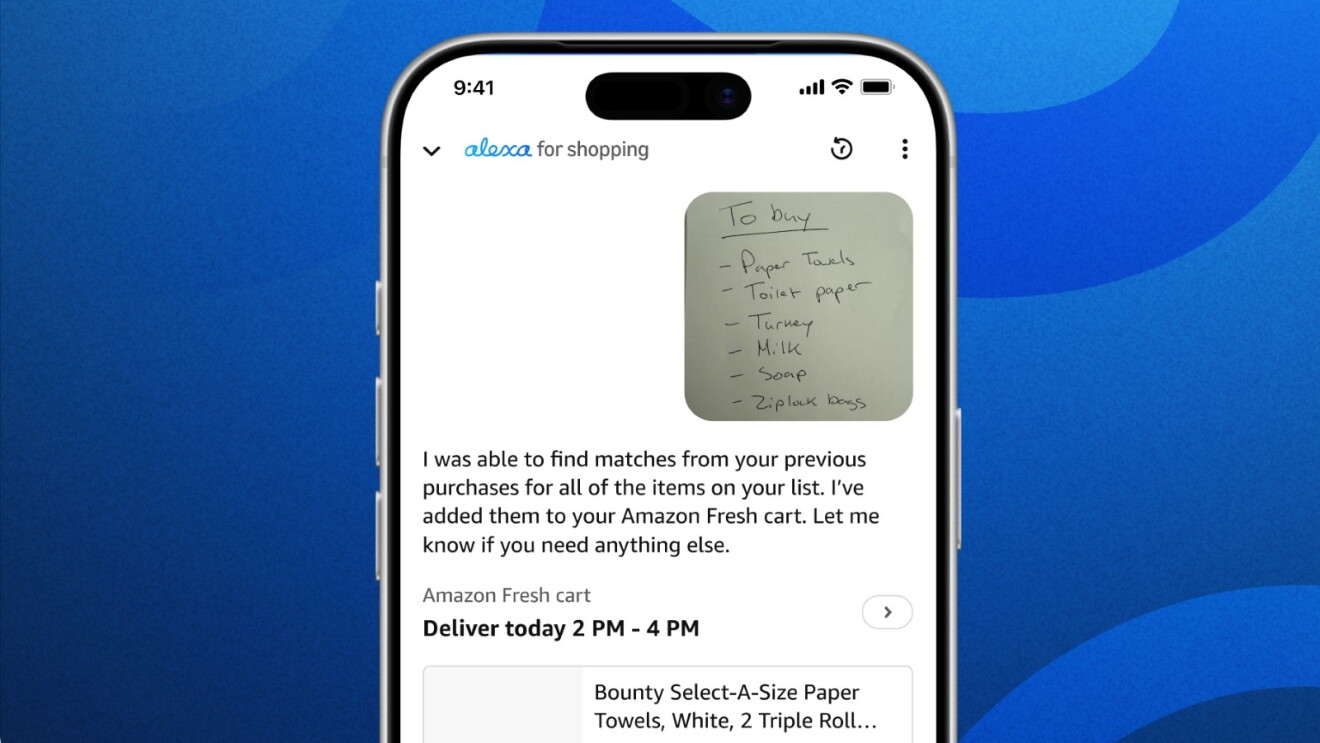
Upload an image of your handwritten shopping list and Alexa for Shopping can transcribe and add those items directly to your cart.
Easy reorder
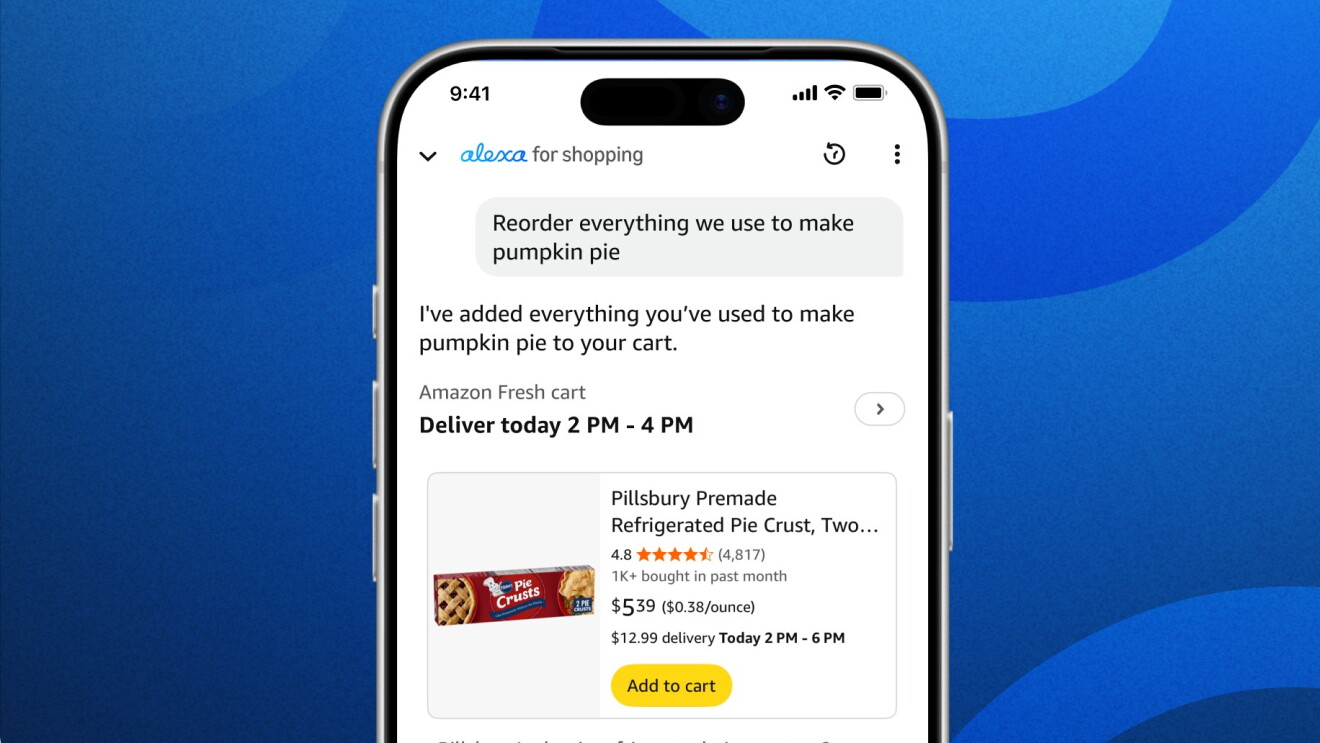
Tell Alexa for Shopping to “Reorder everything we used to make pumpkin pie,” or “Reorder the school supplies I purchased last year.” Alexa for Shopping will even suggest alternatives if items are unavailable.
Shop selections from other stores across the web
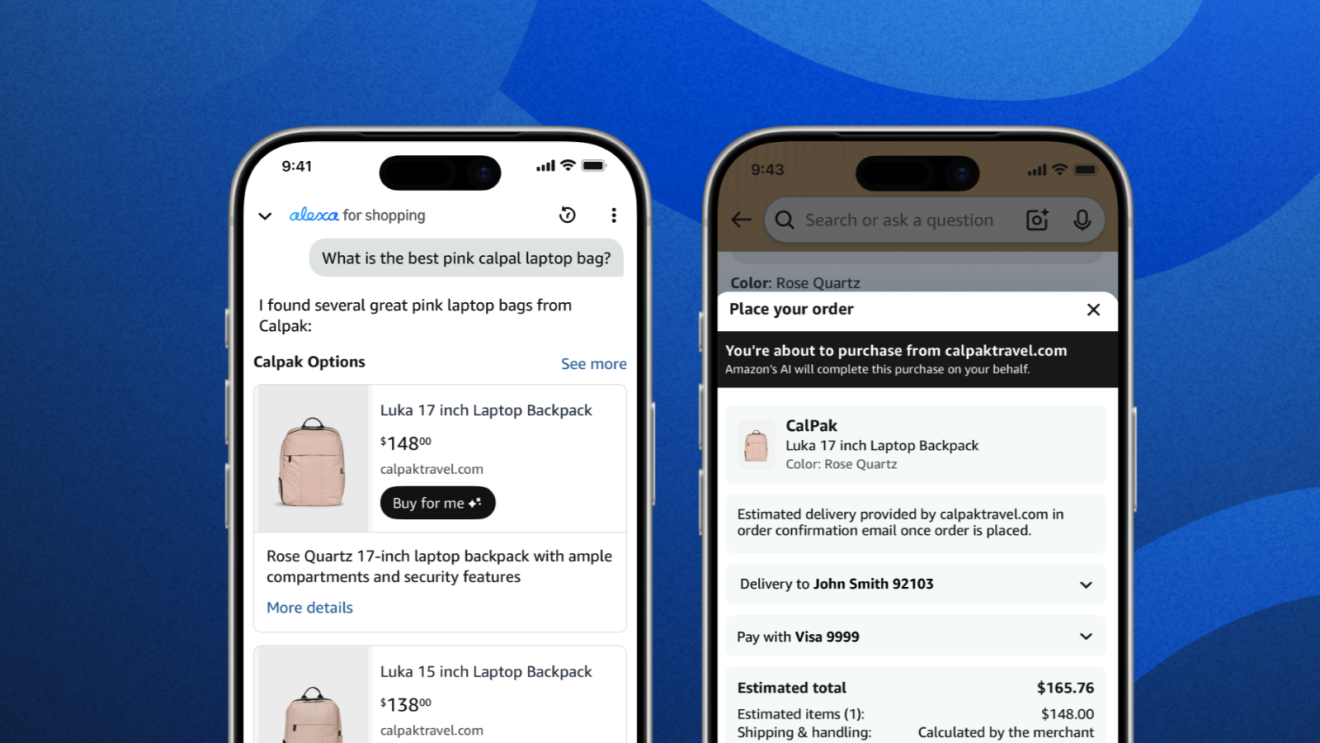
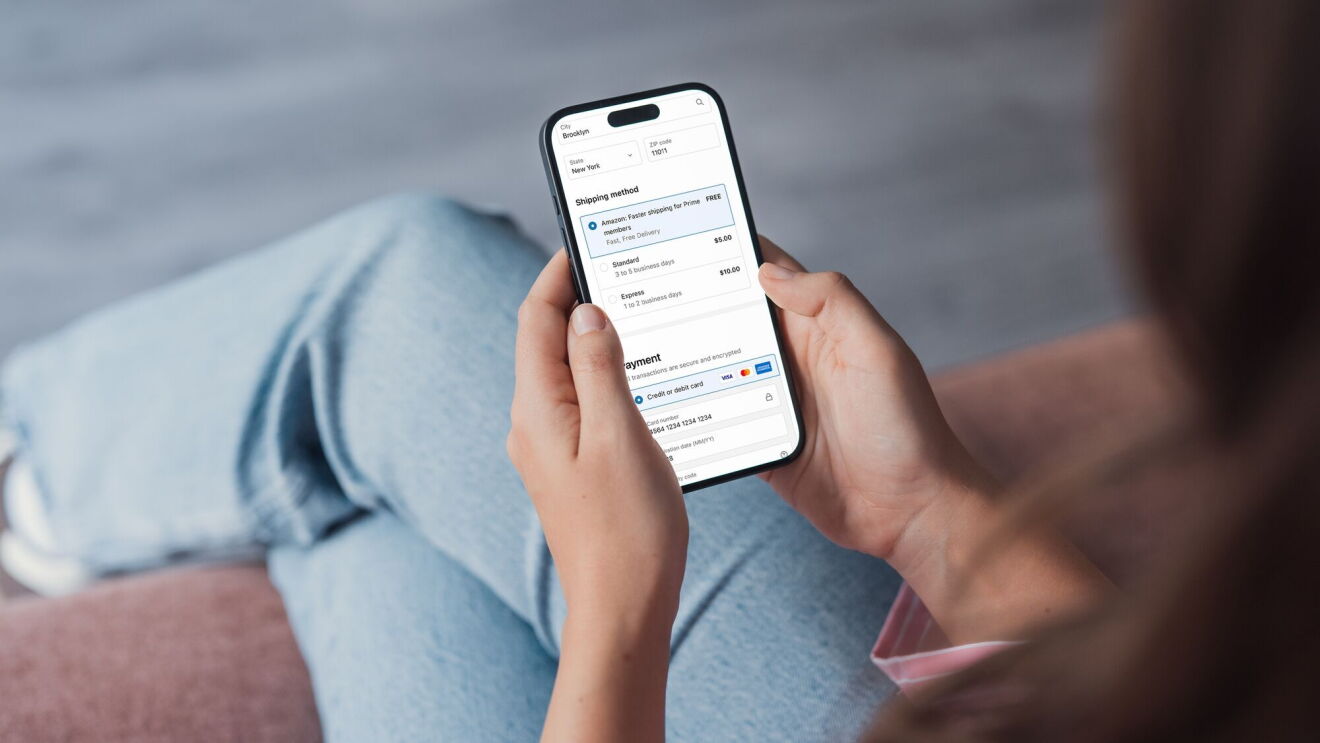
Alexa for Shopping helps you discover and shop products both in Amazon's store and from stores across the web. When using Alexa for Shopping, you'll see relevant Shop Direct selection—additional products not currently sold on Amazon that are available through other stores—so you can compare a wider range of options in one place. You can easily tap to visit the merchant's store and purchase directly, or for eligible products, tap the ‘Buy For Me’ button to have Amazon complete the purchase from the merchant's store on your behalf using your Amazon payment and shipping details.
Compare items
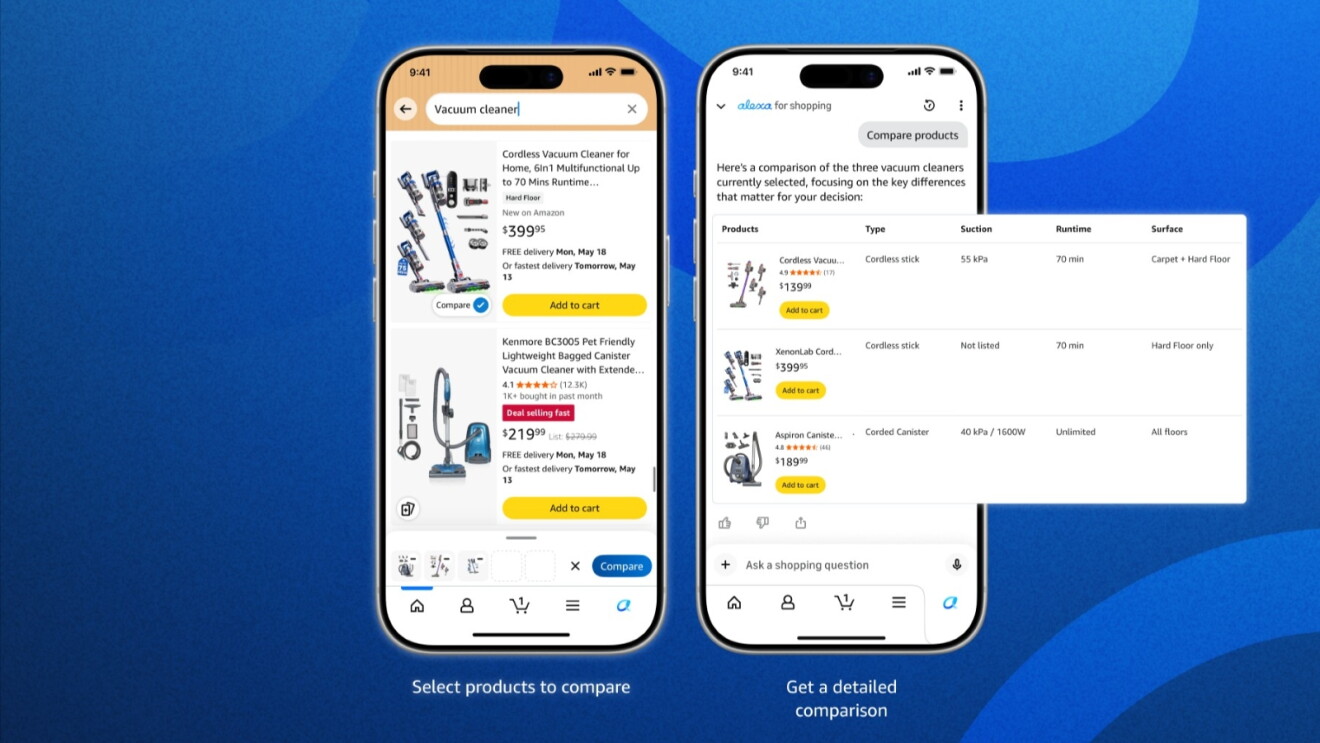
Open the detail page of any product, find the “Compare with Similar” button, and Alexa for Shopping will show you a quick comparison of similar products.
Personalized product summary
Click on “Why you might like this” on select detail pages and receive an explanation of why the item may be a good fit based on your individual shopping preferences.
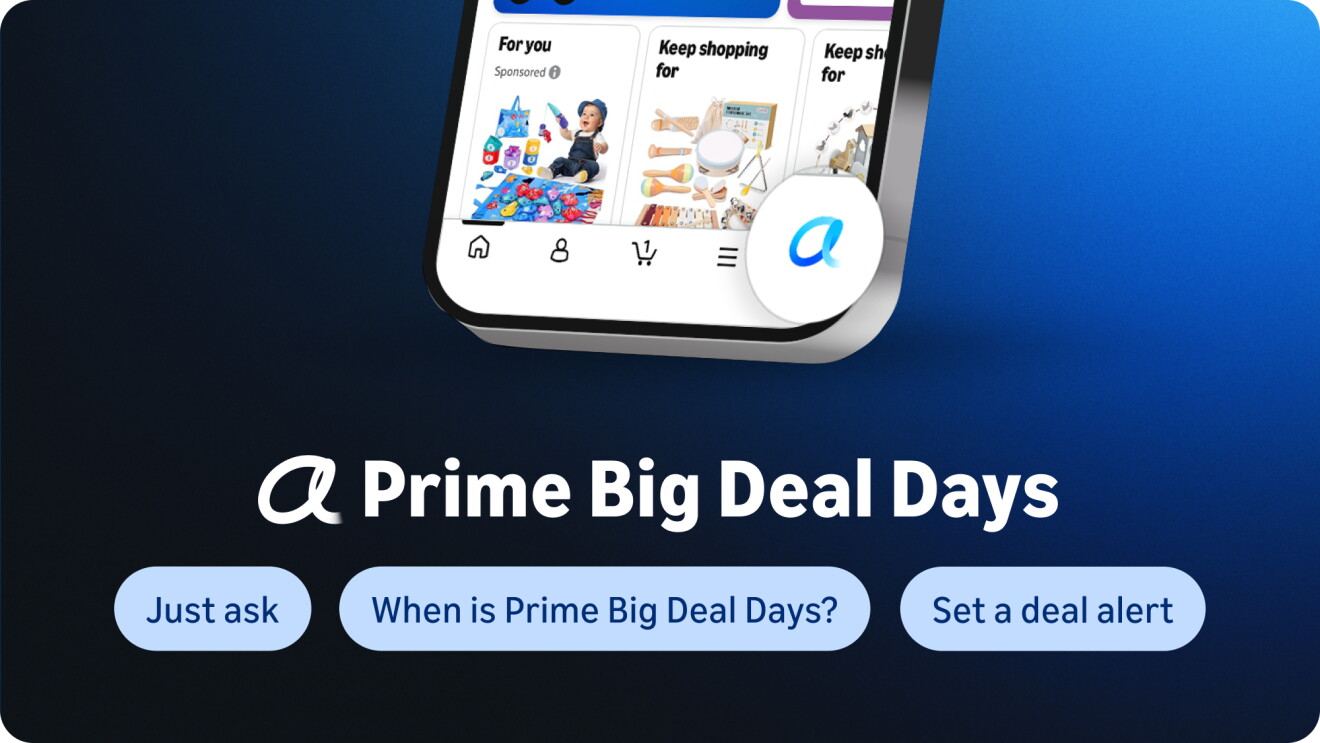
All U.S. Amazon customers have access to Alexa for Shopping and can start using it by tapping the Alexa icon in the bottom navigation bar, or find it at the top of your screen on desktop.
This article has been updated to include the Update Me When feature.
Trending news and stories
- AWS becomes first cloud provider approved for NATO RESTRICTED workloads across all member nations
- Prime Big Deal Days is back October 6-7: Here’s what to expect
- Amazon raises minimum starting pay for full-time core operations employees to $20/hour, with average pay reaching nearly $24/hour
- Amazon is giving every US employee a discount on groceries