
Key takeaways
- Alexa for Shopping combines deep product knowledge, in-depth information from across the web, and powerful shopping capabilities with your personal preferences, shopping history, and conversations from across both Amazon.com and Alexa, creating the world’s best, most personalized AI assistant for shopping.
- Customers can now use Alexa for Shopping to ask questions directly in the main Amazon search bar, create personalized shopping guides for big purchases, get category and product insights in search results and on product pages, generate dynamic product comparisons, view up to a full year of price history, and automate deal-finding, cart-building, and routine purchases based on personalized insights.
- All Amazon customers can use Alexa for Shopping on the Amazon Shopping app and website, no Prime membership or Echo device required. In addition, the full Amazon store experience is now available on Echo Show.
Today, Amazon is introducing ‘Alexa for Shopping,’ the world’s best, most personalized AI assistant for shopping—available to U.S. customers on the Amazon Shopping app and website, and Echo Show devices. Customers already rely on Alexa+, available across hundreds of millions of devices, Alexa.com, and the Alexa app for everything from answering questions and researching topics to managing smart homes, coordinating family events, making reservations, and staying entertained. Rufus helped over 300 million customers in 2025 research, compare, and buy the products they want and need at the best prices on the Amazon Shopping app and website. By bringing together Rufus's product expertise and Amazon shopping history with the personalized knowledge and context of Alexa+, Alexa for Shopping delivers a more personal, helpful shopping experience across a wide range of surfaces and devices—from the Amazon Shopping app and website to Echo Show, where customers can now browse and shop the full Amazon store using voice, touch, or both.
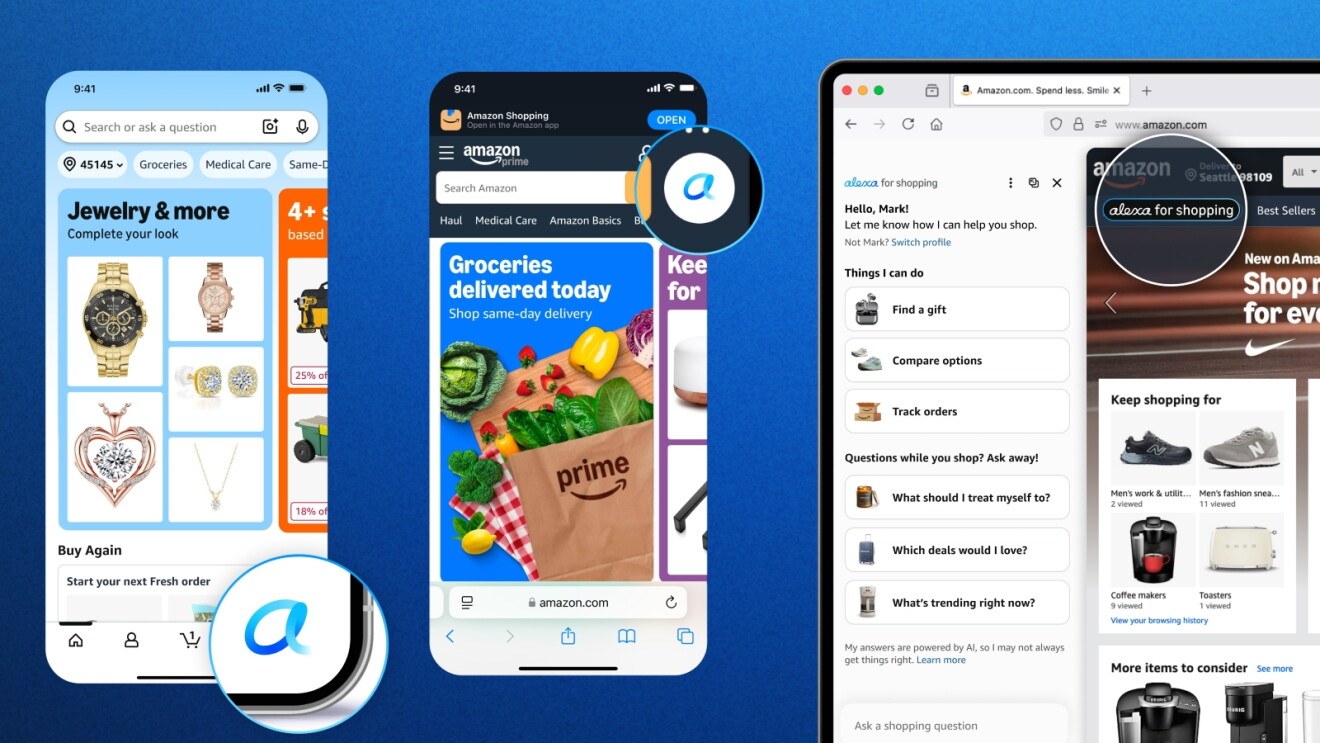
The combination of deep product expertise and seamless personalization makes Alexa for Shopping the best AI assistant for shopping on Amazon and other stores from across the web. What you share with Alexa on your Echo and other Alexa-enabled devices informs your shopping experience on Amazon, and your conversations, browsing, and purchases on Amazon make Alexa more helpful across all your experiences, including on Amazon.com. Your conversations and preferences flow in both directions, making Alexa for Shopping more personal and more helpful over time. It can help you find the best products, compare categories and items, provide personalized recommendations and guidance, track prices, buy items at your target price, reorder essentials, manage your cart, and shop from other online stores across the web. Just as Alexa+ already enhances the Amazon Music, Kindle, and Fire TV experiences, Alexa for Shopping brings that connected, personalized assistance to how you shop.

“Alexa for Shopping is like having an expert personal shopper who already knows you and remembers your preferences, your past purchases, and your conversations, and carries that knowledge and understanding of you across your phone, laptop, and Echo devices,” said Rajiv Mehta, vice president of Conversational Shopping at Amazon. “Whether you're comparing products, tracking a price drop, or continuing research you started yesterday, you don’t have to start over.”
An assistant that knows you and your preferences to make shopping even simpler and more convenient
Alexa for Shopping uses what it knows about you and its product expertise to make finding and buying what you need more convenient. Here's what that looks like in practice:
- Your daughter has a science fair at school coming up, and you brainstorm ideas with Alexa on your Echo. You land on a homemade volcano. The next day in the Amazon Shopping app, you ask Alexa for Shopping “please suggest supplies for my science fair project that we talked about.” Alexa for Shopping recommends supplies for the homemade volcano, you add them to your cart, and they’re on your doorstep that evening.
- Your dishwasher stops working. You type into the search bar on your Amazon app: “An E07 error code is flashing on my dishwasher.” Since you previously researched the best detergent pods for your Bosch dishwasher with Alexa+ on your Echo Show, it has learned what type of dishwasher you own. Alexa for Shopping shares that error message for your dishwasher signals a drying problem and offers a set of troubleshooting tips to try before calling a technician. Resetting the dishwasher does the trick.
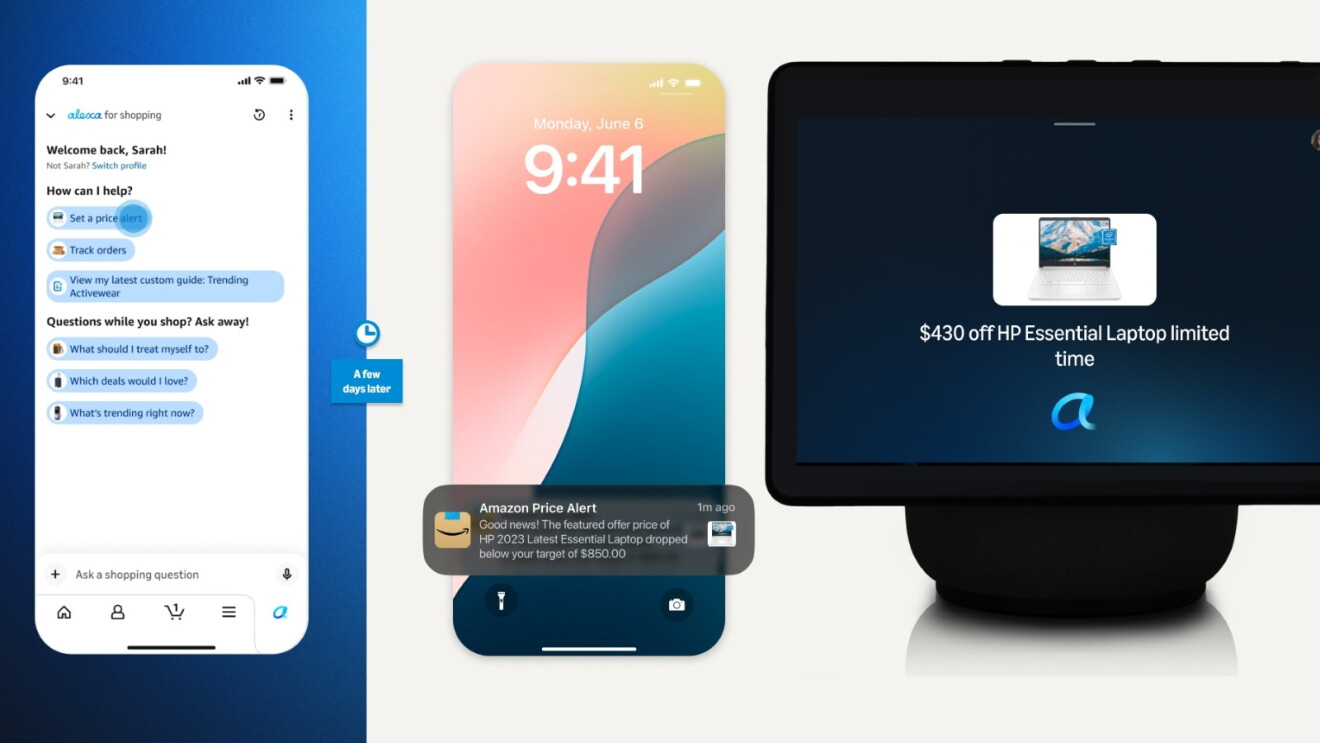
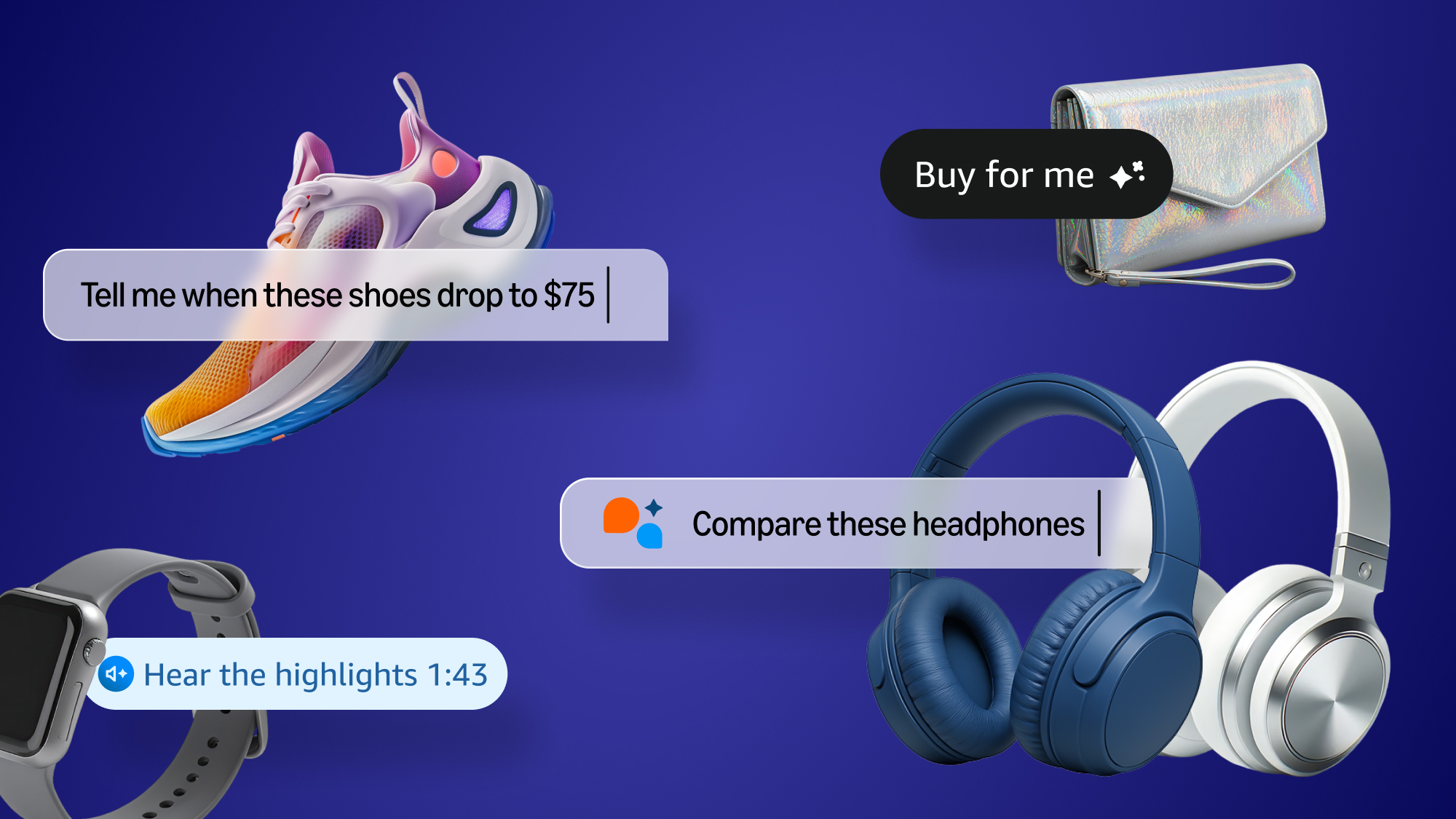
- You're shopping for a new laptop in the Amazon app for your college student and find one with the right specs, but it's more than you want to spend right now. You ask Alexa for Shopping to set a price alert. A few days later, your Echo lets you know the laptop just dropped to your target price, and you ask Alexa to buy it on the spot.
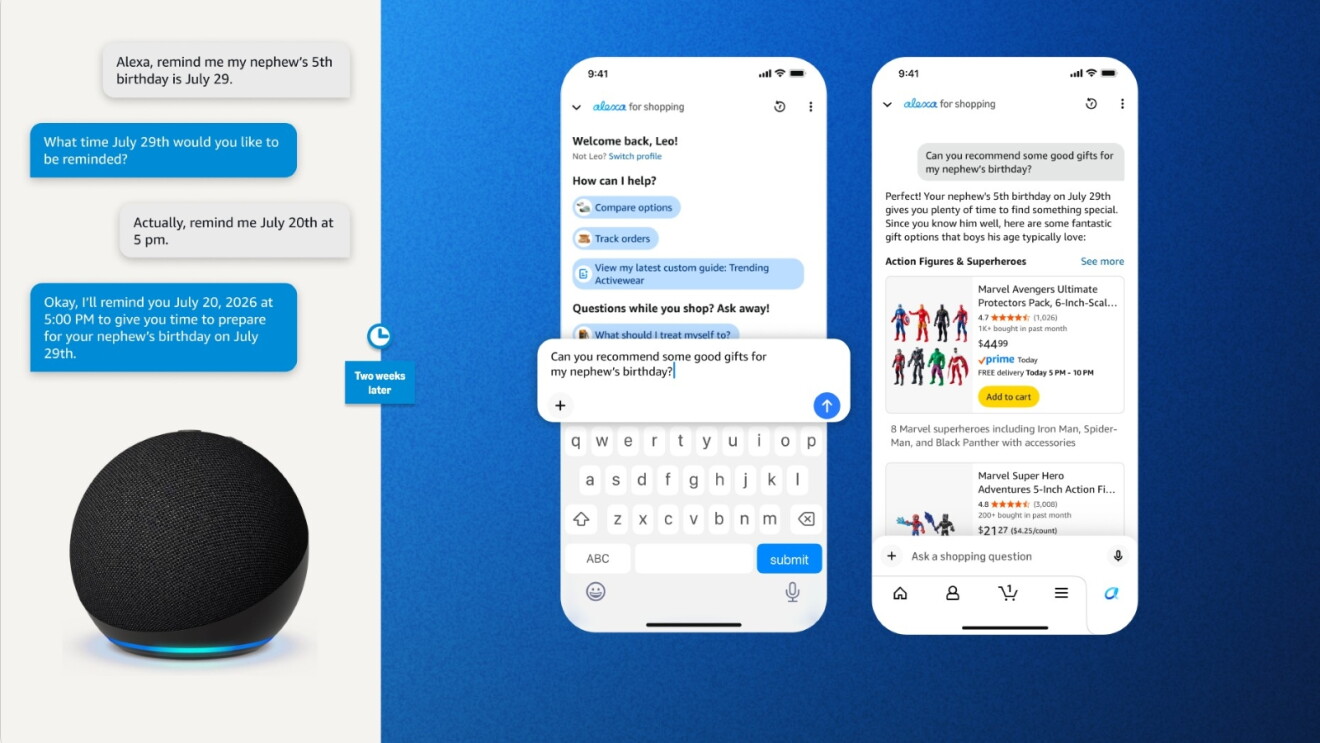
- You ask Alexa on your Echo to remember your nephew's 5th birthday is July 29. A couple of weeks before the big day, you open the Amazon Shopping app and ask Alexa for Shopping to help pick out gifts. It suggests age-appropriate options that will arrive on time, from building sets to popular action figures.
New and enhanced features in Alexa for Shopping
Alexa for Shopping brings new and improved capabilities that make shopping even more convenient and help you save time and money.
- Ask questions directly in the main Amazon search bar: In the Amazon Shopping app, you can now ask Alexa for Shopping questions right in the Amazon search bar as well as the dedicated Alexa for Shopping chat window. If you use the main search bar, the search experience recognizes when you're asking a question and Alexa for Shopping can help answer it—from general questions like "What's a good skincare routine for men?" or "How to plan a unicorn-themed birthday party," to product comparisons like "Breville Barista Express vs Pro" or "Compare Kindles," to order inquiries like "When did I last order AA batteries?" or "Where is my order?"
- Compare products from search results: Select multiple products directly from your search results and Alexa for Shopping will compare them side by side, helping you quickly evaluate features, prices, and reviews to find the best option.
- Get AI overviews in search and on product detail pages: Alexa for Shopping surfaces AI-generated overviews at the top of search results in the Amazon Shopping app, giving you a quick summary of a product category and what to look for before you start browsing. You'll also find AI overviews on product detail pages to help you make more informed purchase decisions. The feature is already available to millions of customers and rolling out to all U.S. shoppers.
- Check product price history for up to a full year: Tap "Price History" on any product detail page or ask Alexa for Shopping for the price history to see how the price has changed over the past year on hundreds of millions of products in Amazon's store.
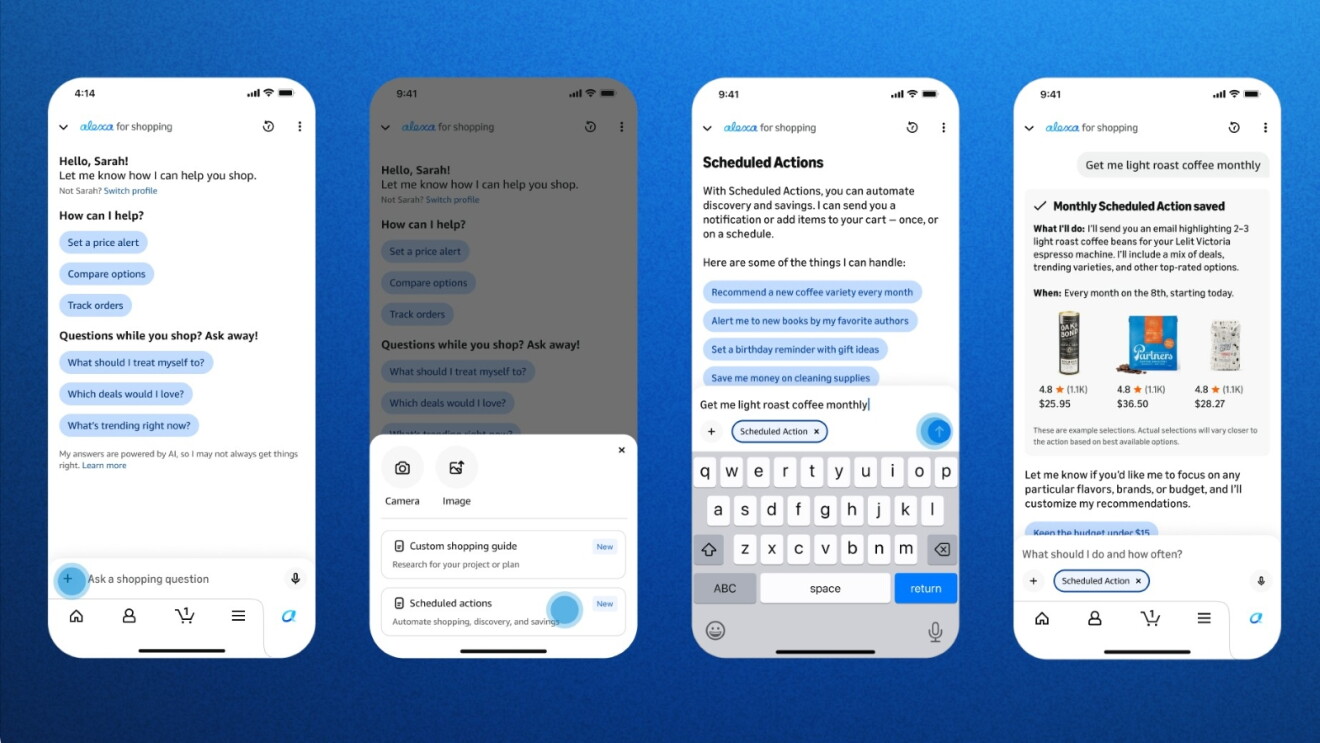
- Schedule routine purchases: When chatting with Alexa for Shopping, tap the "+" icon next to the message bar to create a Scheduled Action, such as adding healthy kids' snacks to your cart each month, restocking regular household items like pet food, paper towels, and detergent, alerting you when your favorite author releases a new book, or getting gift ideas ahead of family and friends’ birthdays and holidays. You can also get more specific with prompts like "Add this sunscreen to my cart if the price drops to $10 and I haven't purchased it in the last 2 months.” Alexa for Shopping handles the product research and will either notify you or add relevant items directly to your cart—as a one-time action or on a recurring schedule—so all you have to do is review and check out.
- Shop other retailers across the web: Discover hundreds of millions of products in Amazon's store and from stores across the web through Shop Direct. For eligible products, the Buy for Me agentic AI feature handles the entire purchase on your behalf using your primary address and credit card.
- Effortlessly add items to your cart: Alexa for Shopping can search past orders and add them to your cart or quickly build new carts with conversational directions. Say things like “add my regular dog treats” or “add my frequently ordered cleaning products” or “add my favorite protein bars to my cart,” and then check out with a tap.
- Personalize your experience: View and update details like family members, pets, interests, dietary needs, and more by simply asking Alexa for Shopping what it knows about you.
- Learn about new product categories and items: Whether you're making a big purchase like a TV or exploring a new product category for the first time, Alexa for Shopping can create a custom shopping guide that compares features, prices, and reviews across Amazon and the web based on what matters most to you.
Alexa for Shopping also has all the capabilities that hundreds of millions of customers already rely on regularly, including snapping a photo to use visual search, finding deals based on your browsing history and shopping lists, searching for items by price range, setting price alerts, and Auto Buying items at a set price. You can also track packages and check order status—all through conversation. When you need help beyond shopping, like controlling smart home devices, playing music, or managing household tasks, Alexa for Shopping hands off to Alexa+ on the Alexa app or Alexa.com.
To make it even easier to shop with Alexa+, we’re also bringing the complete Amazon shopping experience you know from the app and website directly to your Echo Show. For the first time, you can browse, search, and shop the full Amazon store right on your device and navigate entirely by voice, touch, or both, with Alexa as your guide. Learn more about the new Echo Show shopping experience.
Getting started with Alexa for Shopping
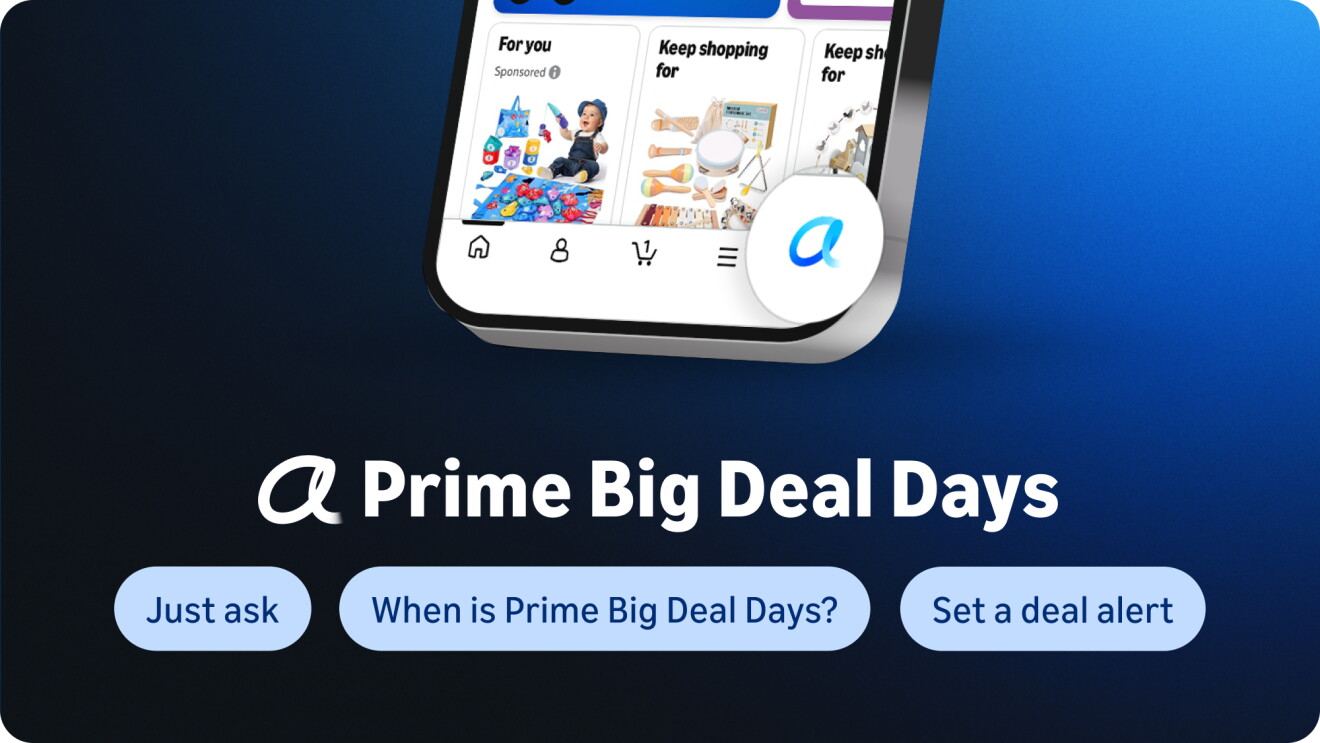
Alexa for Shopping will roll out to all U.S. customers over the coming week. To get started, update your Amazon Shopping app and tap the Alexa icon in the bottom navigation bar, or find it at the top of your screen on desktop.
All Amazon customers can use Alexa for Shopping for free when signed into their account, no Echo device, Alexa app, or Prime membership required.
Trending news and stories
- Prime Big Deal Days is back October 6-7: Here’s what to expect
- Sellers can now manage sales across Amazon, eBay, Shopify, TikTok, and Walmart from Seller Central
- Prime Big Deal Days 2026: Early deals you can shop right now
- Amazon raises minimum starting pay for full-time core operations employees to $20/hour, with average pay reaching nearly $24/hour